CRM That Keeps Work Moving

Customer master database, vehicles/assets, fast invoicing + PDF, dashboards, roles, and audit logs — built to stay fast and ready for SaaS migration.

Fast search
Invoice PDFs
Audit trail
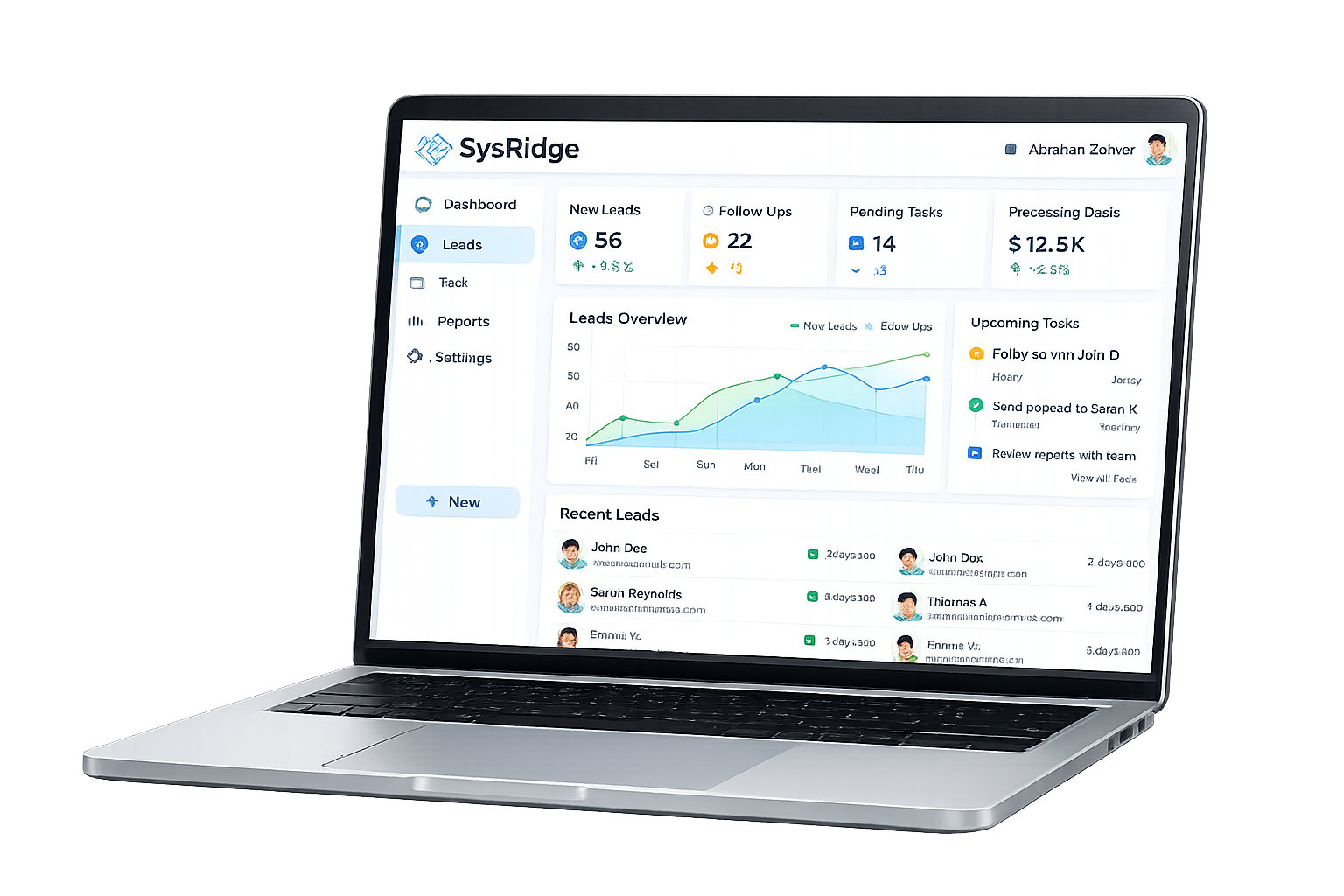
SysRidge CRM preview

What’s Included

A practical CRM for service businesses: keep customer + asset data clean, invoice fast, track status, and maintain traceability.

Customer Management

Customer master database: create, view, edit. Fast search + filters (name/phone/email/business) with a timeline for context.

Includes history notes (service/invoice activity context) plus defensive duplicate/ID safety logic to prevent “old customer data leaking into new customer”.

Assets / Vehicles

Multiple vehicles/assets per customer with quick summaries (year/make/model/rego) and fast list rendering.

Designed to stay responsive: top results first, expand to show all, and quick lookup during invoice creation.

Invoicing

Create invoices with line items (description, qty, rate, amount) and track totals + status (paid/unpaid/overdue).

Includes an invoice item ledger (per-invoice item table) for analytics and reporting.

Invoice PDFs

Generate invoice PDFs with business details and logo/branding when enabled.

Output is consistent and client-ready: clear layout, totals, and business profile fields.

Dashboard & Analytics

Key tiles: top customers, overdue accounts, recent activity. Invoice charts + “Top items by quantity” from invoice items.

Built for speed: operational snapshots meant to load quickly and can be cached to avoid repeated sheet scans.

Users, Roles, Access Control

Role-based access model: Owner / Admin / Staff. Authentication flow (sign-in, forgot password, create account) in the web UI.

SaaS direction: tenant isolation model (tenant_id) to keep each business separated during migration.

Audit & Traceability

Audit logging of critical actions (who did what, when) plus “Last updated by” and timestamps on records.

Operational accountability: quicker troubleshooting, cleaner handovers, fewer silent changes.

Performance & Reliability

Caching for heavy dashboard queries, defensive parsing/normalization helpers, and safer ID generation to avoid ghost links.

UI responsiveness focus: limit initial results, lazy/expand patterns, and quick rendering for daily use.

Settings & Business Profile

Business identity settings (name, address/ABN, contact details) plus logo/branding fields used in UI and invoices.

Designed to map directly into SaaS tenant branding and invoice templates.

SaaS-Ready Roadmap

Multi-tenant SaaS plan: PostgreSQL + API-first (Node/Express or Nest), Supabase Auth or Clerk, Stripe billing, SendGrid/SES email.

Hosting targets: AWS or DigitalOcean. Optional “save to your own drive” via Google Drive API.

Current Stack

Shipped CRM runs on Google Apps Script with UI + automation and Google Sheets as the data store.

Built with the migration path in mind: data structures and isolation patterns designed to move cleanly into a database later.

How CRM Works

Simple flow: capture clean data, move jobs fast, track invoices, keep a trail.

1

Setup & Baseline

Configure business profile, roles, and core fields. Apply ID safety rules to keep records clean.

2

Customers + Assets

Create customers, attach vehicles/assets, and use fast search + filters to find the right record quickly.

3

Invoice Fast

Build invoices with line items, attach the right vehicle/job, generate a PDF, and track status.

4

Monitor & Improve

Use dashboards for overdue accounts, top customers, and top items — with caching for performance.

CRM Examples

Real operational outcomes from clean data + fast workflows.

CRM FAQ

Direct answers. No fluff.

Request CRM Demo

Share your workflow (customers, assets/vehicles, invoicing). You get a practical CRM setup plan and a demo of the core flows.

• Customer database + timeline
• Vehicles/assets per customer
• Invoices + PDF generation
• Dashboard snapshots
• Roles + audit trail
• SaaS migration roadmap
Contact Us: